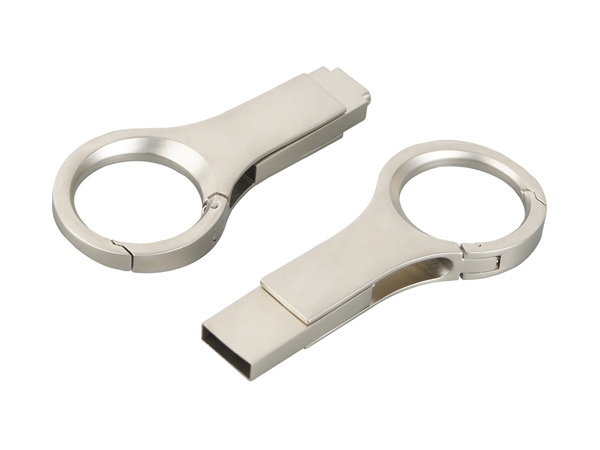
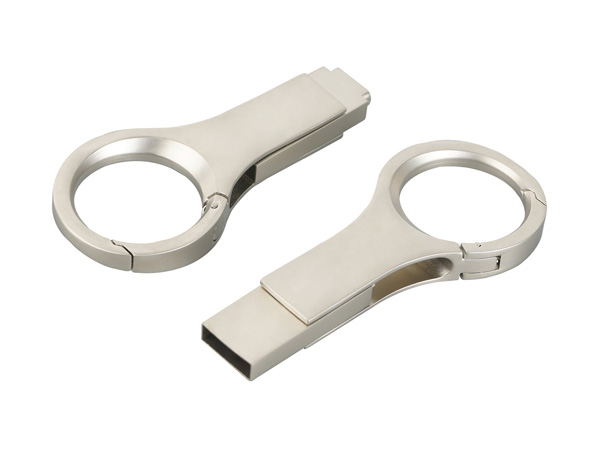
Optical module structural parts
Optical module structural parts
The installation process of HDMI structural components usually covers equipment installation preparation, cable connection, equipment debugging and fixation, etc. The following is a detailed introduction:
I. Preparations Before Installation
Equipment and tool preparation
Make sure to have HDMI structural components (such as HDMI cables, optical fiber HDMI cables, TVS or monitors, computers or other devices).
Prepare the necessary installation tools, such as screwdrivers, cable ties, etc.
Safety Precautions
Before installing or replacing the HDMI structural components, be sure to turn off the power of the related equipment to avoid the risk of electric shock.
When moving a TV or monitor, keep it upright and avoid placing it on its side or tilting it to prevent screen damage.
During the installation process, avoid touching the screen to prevent leaving fingerprints or causing damage.
Ii. Installation of HDMI Structural Components
Connect the HDMI cable
Connect one end of the HDMI cable to the HDMI output port of the device (such as a computer or Blu-ray player).
Connect the other end to the HDMI input port of the TV or monitor.
Make sure the connection is firm to avoid loosening or poor contact.
Special cable installation (such as optical fiber HDMI cables) :
For optical fiber HDMI cables, the transmitter and receiver should be correctly connected in accordance with the instructions.
The transmitter should be close to the signal source (such as a camera or player), and the receiver should be close to the display device (such as a monitor or projector).
Connect the transmitter and receiver with optical fiber cables and avoid bending and pulling them to prevent signal attenuation.
Iii. Equipment Commissioning and Fixation
Turn on the power and check the signal
Turn on the power of the relevant equipment and check whether the TV or monitor can display the picture and hear the sound normally.
If the display does not work properly or you hear a sound, please check if the cable is connected correctly or try replacing the cable for testing.
Adjust equipment Settings
Use the remote control or buttons to enter the device's Settings menu.
Select the input source corresponding to the HDMI cable (such as HDMI1, HDMI2, etc.).
Adjust the picture and sound Settings as needed to achieve the best viewing experience.
Fixed equipment (if necessary) :
If you need to fix the TV or monitor to the wall or stand, please install the wall-mounted stand or bracket correctly according to the instructions.
Use tools such as screwdrivers and cable ties to secure the equipment and ensure its stability and safety.
Ding Dong:+86 136-2094-9831

Douyin
Copyright © 2025 Dongguan Laoyou Hardware Products Co., Ltd. All rights reserved
The webpage materials and related resources of this site are all from the Internet. If there is any infringement, please inform us immediately and we will delete it within 24 hours.