
Optical module structural parts
Optical module structural parts
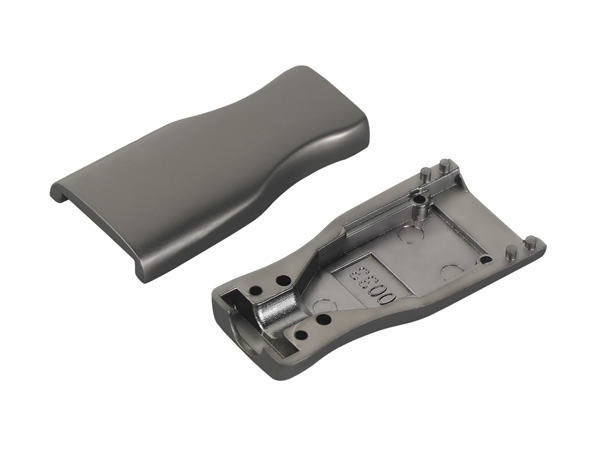
During the installation process of HDMI structural components, the handling of details directly affects the stability of signal transmission and the service life of the equipment. The following are the key details and precautions that need to be focused on during installation:
I. Cable Selection and Inspection
Match the equipment specifications
Select the corresponding cable based on the HDMI version supported by the device (such as 1.4, 2.0, 2.1) to avoid functional limitations (such as inability to transmit 8K signals) due to version incompatibility.
Confirm the cable length requirements. For long-distance transmission (over 5 meters), it is recommended to choose optical fiber HDMI cables to reduce signal attenuation.
Check the quality of the cables
Check the appearance of the cable for any damage, creases or loose joints to avoid poor contact caused by using inferior cables.
Give priority to choosing cables with shielding layers (such as aluminum foil + braided mesh double shielding) to suppress electromagnetic interference (EMI).
Ii. Connection Operation Specifications
Insert the interface correctly
When inserting the HDMI connector, make sure the direction is correct (the interface has a fool-proof design, but it needs to be operated gently), and avoid forcibly inserting it to prevent damage to the interface or cable.
After insertion, slightly rotate the joint to ensure it is fully attached to the interface without any loosening or lifting.
Avoid frequent plugging and unplugging
The metal contacts of the HDMI interface are prone to wear and tear. Frequent plugging and unplugging may lead to poor contact or signal interruption. It is recommended to reduce the frequency of plugging and unplugging after fixing the equipment.
If hot-swapping (operating while powered on) is required, make sure the device supports the HDMI hot-swapping function and operate slowly to avoid arc generation.
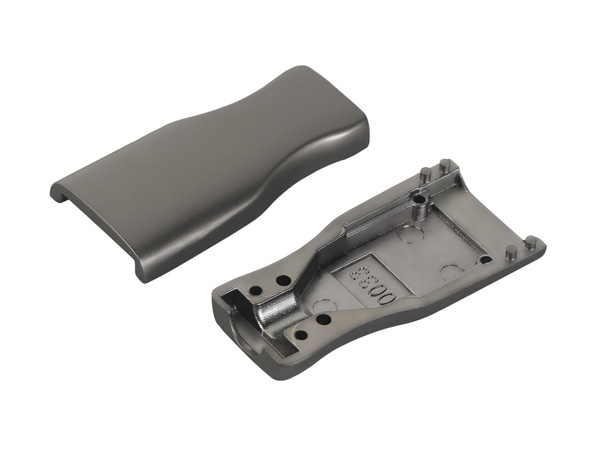
Iii. Wiring and Routing Design
Stay away from interference sources
HDMI cables should be kept away from strong electromagnetic interference sources such as power cords, transformers, and wireless routers. It is recommended to maintain a distance of at least 30 centimeters.
Avoid parallel wiring with high-voltage cables. If necessary, use metal pipes or shielding slots for isolation.
Plan the path reasonably
The cable routing should be as short and straight as possible, minimizing bending and entanglement to avoid the formation of signal loops.
The bending radius should be greater than five times the diameter of the cable (for example, for a cable with a diameter of 6mm, the bending radius should be ≥30mm) to prevent the internal wires from breaking.
Fixation and protection
Fix the cables with cable ties or wire clamps to prevent the joints from loosening due to suspended shaking.
When wiring inside the wall, PVC pipes should be run to protect the cables from being damaged by nails or screws.
Iv. Equipment Setup and Commissioning
Select the correct input source
Switch to the corresponding HDMI input channel (such as HDMI1 or HDMI2) via the remote control of the TV or monitor to ensure that the signal source matches the device.
For some devices, the HDMI function needs to be manually enabled in the Settings menu (such as the "HDMI CEC" control for game consoles).
Adjust the resolution and refresh rate
Set the appropriate resolution and refresh rate (such as 4K@60Hz, 1080P@120Hz) based on the device performance to avoid screen tearing or black screen caused by overclocking.
When enabling advanced features such as HDR or Dolby Vision, it is necessary to confirm that both the cables and the equipment support the relevant protocols.
Test signal stability
Play high-definition videos or run 3D games and observe whether the picture is smooth, without lag or screen flickering.
Test whether the audio output is normal and confirm that it supports multi-channel audio formats (such as Dolby TrueHD, DTS-HD).
V. Environment and Usage Maintenance
Control temperature and humidity
Avoid using HDMI devices in high-temperature (>40℃) or humid (humidity >80%) environments to prevent interface oxidation or aging of the cable insulation layer.
When not in use for a long time, it is recommended to unplug the cable and store it in a dry and cool place.
Clean the interface regularly
Use a cotton swab dipped in a small amount of alcohol (with a concentration of less than 75%) to gently wipe the metal contacts of the HDMI interface to remove dust or oxide layers.
Avoid using water or corrosive cleaners to prevent damage to the interface.
Anti-static measures
When operating in dry seasons or carpet environments, anti-static wristbands can be worn to prevent static electricity from damaging the interface chips.
Before plugging or unplugging a cable, touch a metal object first to release static electricity.
Vi. Precautions for Special Scenarios
Wall-mounted installation
When wall-mounted TVS, it is necessary to reserve space for the bending of HDMI cables to prevent internal cable breakage due to stretching.
When using concealed cable trays, it is necessary to ensure that the cables can be easily pulled out for easy maintenance in the future.
Game device connection
When connecting game consoles (such as PS5, Xbox Series X), it is recommended to enable "Game Mode" to reduce input lag.
Confirm that the cable supports VRR (Variable Refresh Rate) and ALLM (Auto Low Latency Mode) to enhance the gaming experience.
Business display application
In a multi-screen splicing system, an HDMI distributor that supports EDID management should be used to ensure that all displays display the same content synchronously.
When transmitting over long distances, it is recommended to use an HDMI signal booster or fiber optic converter to avoid signal attenuation.
Ding Dong:+86 136-2094-9831


Douyin
Copyright © 2025 Dongguan Laoyou Hardware Products Co., Ltd. All rights reserved
The webpage materials and related resources of this site are all from the Internet. If there is any infringement, please inform us immediately and we will delete it within 24 hours.
